 by
by Free resume builders have revolutionized the job search process by making it simple and affordable to create professional applications.
Whether you’re a fresh graduate or an experienced specialist, these tools offer customizable resume templates, step-by-step guidance, and instant downloads — all at no cost.
In this article, we’ll explore the top platforms to make a resume, their features, pros and cons, and tips to get the most out of them.
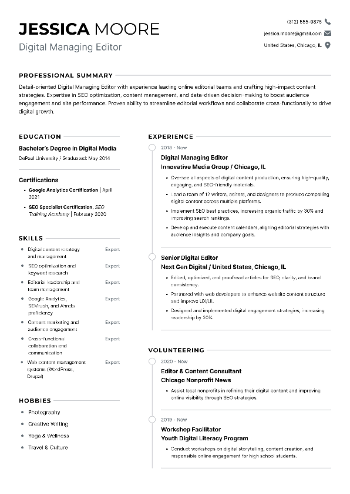
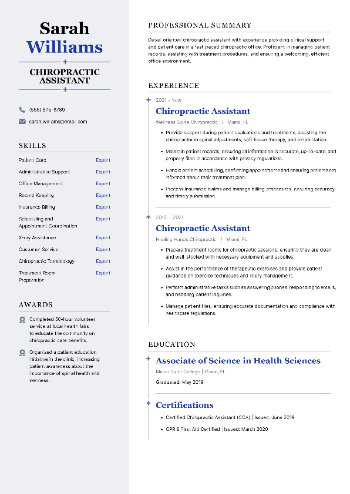
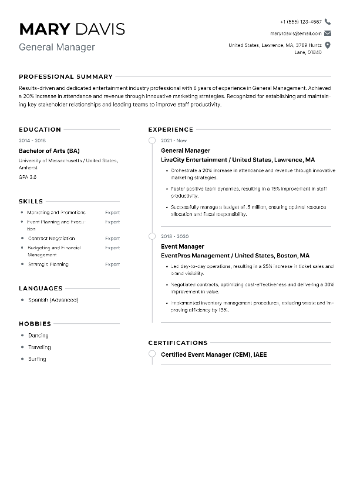
Best free resume builders
Resume Trick
- Best for: Users who want a clean, professional result fast, without signing up or dealing with hidden fees.
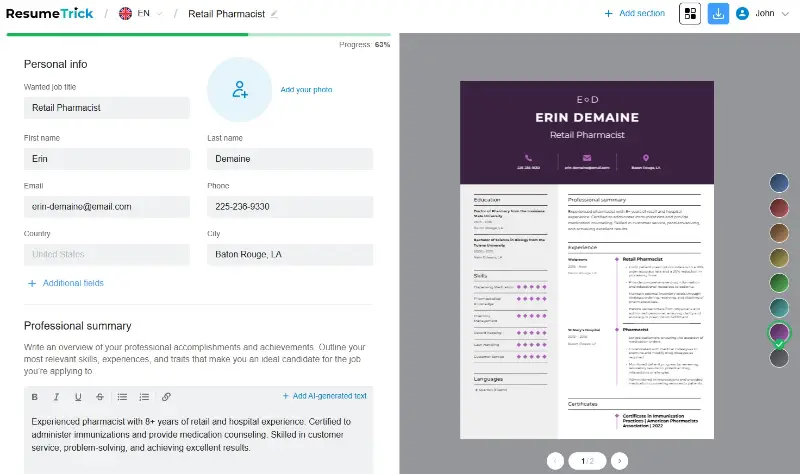
Instead of overwhelming you with flashy visuals or too many customization options, this resume maker keeps things streamlined. You pick a layout, fill in your information, and get a sharp-looking PDF within minutes.
It’s perfect for those who want fast results and a polished format.
Key Features
- Pre-designed free resume templates ideal for corporate and creative roles alike
- Instant preview and download—no email required
- Section-by-section editing with intuitive form inputs (no dragging or messy formatting)
- No watermarks, logos, or branding on the final result
- Built-in tips for each block to guide new job seekers


Pros:
- No account needed: Just open the site and start building.
- True free download: No paywall surprises or forced registration.
- Professional templates: Balanced designs suitable for most industries.
- Zero branding: Your document stays yours—no logos or company names printed on it.
- AI resume builder: Automated prompts for summary and experience.
Create your professional Resume in 10 minutes for FREE
Build My Resume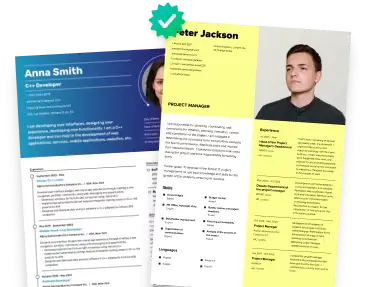
Canva
- Best for: Visual creators who want eye-catching, portfolio-style application.
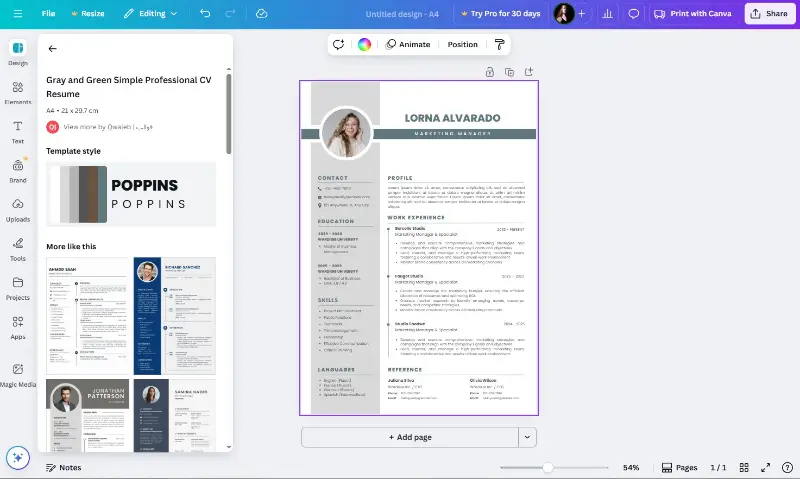
Unlike traditional form-based tools, this resume creator offers artistic freedom. Whether you're looking for a design job or simply want a CV that pops, the editor lets you experiment with fonts, colors, and layouts effortlessly.
This platform is ideal for candidates who want something more expressive than conventional templates.
Key Features
- Dozens of customizable styles for creative roles
- Drag-and-drop editor with control over every element
- Exports to PDF, JPG, or PNG formats
- Shareable links for collaboration
- Access to free resources plus premium elements
Pros:
- Total visual control: Tweak layout, style, and color freely.
- Great for portfolios: Combine graphics and text for impact.
- Multiple formats: Download in the type you need.
- Accessible free plan: Many assets available without paying.
Cons:
- Not optimized for ATS by default: Some designs may confuse scanning systems.
- Sign-up needed: Requires an account to begin editing.
Zety
- Best for: Applicants who want resume writing guidance and polished structure.
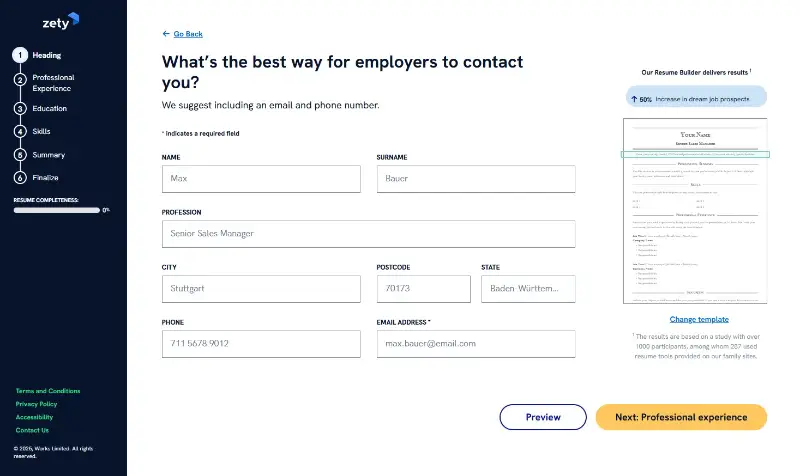
This platform serves as a writing assistant and formatting tool in one. It walks you through building a document section by section, offering phrasing ideas and layout suggestions tailored to your role.
It’s helpful for those who struggle with wording or don’t know where to start—though downloading your file in PDF format comes with a paywall.
Key Features
- Dynamic resume editor with prompts and sample phrases
- Job-specific templates with formatting optimized for hiring systems
- Real-time feedback and structure tips
- Integrated cover letter generator
- Ability to preview and tweak content live
Pros:
- Helpful content suggestions: Great for rewriting or brainstorming.
- Recruiter-approved formats: Clean, structured designs.
- User-friendly interface: Clear layout and smooth workflow.
- Ideal for formal roles: Strong fit for corporate or technical positions.
Cons:
- No free download: Preview is available, but exporting your PDF file costs.
- Mandatory registration: You must create an account to employ the resume builder.
Novoresume
- Best for: Job seekers aiming for a balance between style and structure.
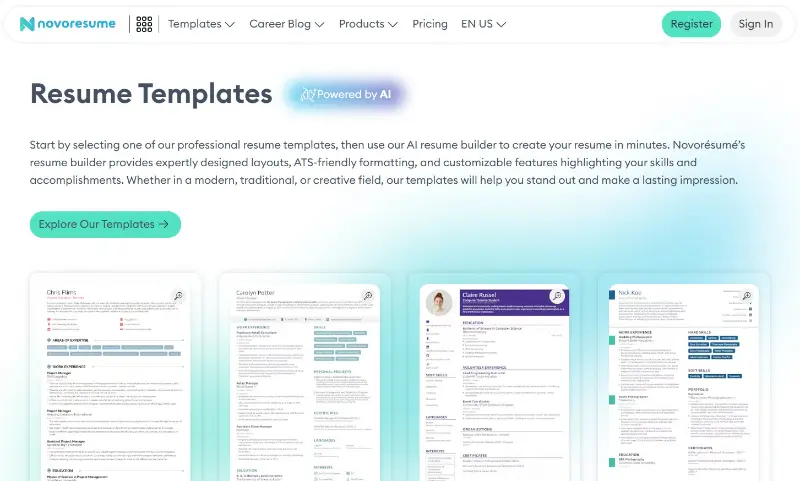
This resume helper presents a sleek alternative to both barebones and overly designed tools. It’s intuitive to use, offers tailored guidance based on your experience level, and maintains a modern look.
Its free version is functional, though more advanced customization sits behind a paywall.
Key Features
- Contemporary designs grouped by career stage
- Style and grammar feedback built into the platform
- Optional cover letter pairing
- Live template editing
- Ability to modify sections and headers
Pros:
- Modern presentation: Templates feel current and professional.
- Guidance per role level: Ideal for students, junior staff, or executives.
- Easy interface: Less clutter than many visual free resume builders.
- Helpful suggestions: Includes writing and layout advice.
Cons:
- Some features locked: Advanced edits require payment.
- Limited length: The free version allows only one-page applications.
Resume.com
- Best for: Simple, no-fuss way to build a resume quickly.
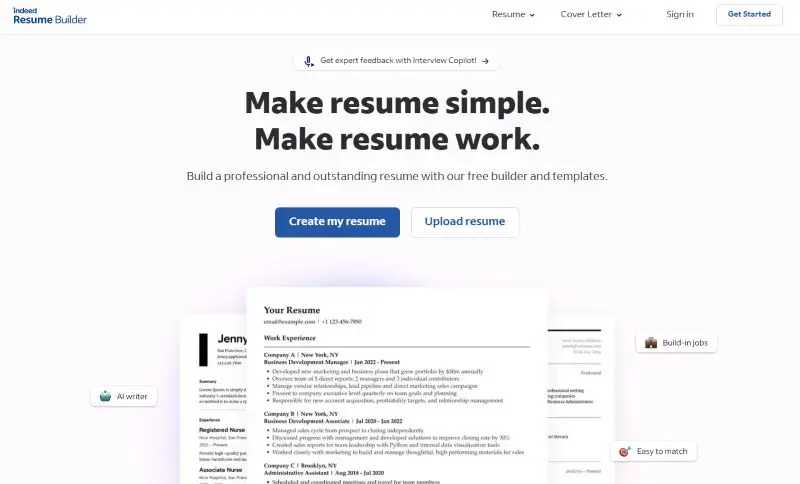
This service keeps things streamlined for those who want something practical. There are no fancy tools—just a clear resume writer where you input details and instantly generate a usable document.
It’s a strong choice for traditional roles in retail, hospitality, or admin support.
Key Features
- Resume builder with step-by-step guidance
- Multiple templates with conservative layouts
- Immediate download—no email or registration needed
- Account option for saving progress
- Sections include work history, education, summary, and skills
Pros:
- No sign-up required: Jump right into the resume builder.
- Completely free download: No tricks or surprise charges.
- Basic but effective: Straightforward designs that do the job.
- Quick turnaround: Build your resume and save within minutes.
Cons:
- Minimal design flexibility: Limited customization tools.
- Not ideal for creative roles: Templates favor traditional industries.
How to choose the right resume builder for you?
| Resume Maker | Templates | PDF Export | Requires Login | ATS-Friendly |
|---|---|---|---|---|
| Resume Trick | Modern & classic | Free | No | Yes |
| Canva | Highly customizable | Free | Yes | Partially (some designs are image-heavy) |
| Zety | Professional-focused | Not free (preview only) | Yes | Yes |
| Novoresume | Creative & minimalist | Free (basic layouts only) | Yes | Yes |
| Resume.com | Simple, effective | Free | No | Yes |
Create your professional Resume in 10 minutes for FREE
Build My ResumeTips to create a strong resume
Crafting a CV that stands out in today’s crowded market means more than listing your work history. It’s about strategic presentation—knowing what to trim and how to guide a hiring manager’s eye to your strengths.
1. Tailor for Each Job
Think of your application as a pitch, not a biography.
Generic documents rarely make it past the initial screen. To capture attention, reflect the specific language of the posting. Match the employer’s key qualifications with your actual experience.
Customize your title, summary, and even bullet points to echo what the role requires.
2. Start With a Compelling Opening
The first few lines at the top of the page should capture your value immediately. Focus on who you are, what you bring, and what impact you make—not just what you want.
Analytical marketing specialist with a track record of increasing ROI through data-driven campaigns. Adept at translating insights into revenue growth.
This format works especially well for mid-level and senior positions. If you’re just starting, lead with your training, enthusiasm, or transferable skills instead.
3. Focus on Achievements
Hiring managers already know what a customer service rep or graphic designer does. What they need to see is impact.
Instead of:
Responsible for managing client accounts
Try:
Oversaw 15+ client portfolios and improved retention by 30% within six months
Add numbers, outcomes, and measurable wins wherever you can. Even soft wins count: improved a process, led a workshop, or created documentation that saved time.
4. Keep Layout Simple, Clean, and Readable
A good resume builder helps direct attention—not distract. Use consistent font styles (sans-serif works best), clear section headers, and even spacing. Stick to black text, plenty of white space, and employ bold sparingly for headings.
5. Use Action Verbs
Avoid starting bullets with passive or vague phrases like “was responsible for” or “involved in.” Utilize strong, specific verbs instead:
| Weak Word | Upgrade To |
|---|---|
| Worked on | Executed, Implemented, Delivered |
| Helped | Assisted, Collaborated, Supported |
| Made | Created, Developed, Produced |
6. Keep It Concise
Ideally, your document should be one page (two if you’re a senior professional). Trim unrelated positions, collapse older roles, and avoid overly detailed descriptions. But be careful not to strip your paper of the context that shows growth or scale.
Include:
- Scope of your work
- Challenges you faced
- Outcomes you drove
7. Proofread
Typos make a terrible first impression. Even the best content can be dismissed due to careless errors. Use tools like Grammarly, then read it out loud or have someone else review it.
- Don’t just scan for spelling—check for:
- Consistent formatting (like dates and bullet styles)
Correct tense usage (past roles = past tense)
Aligned margins and spacing
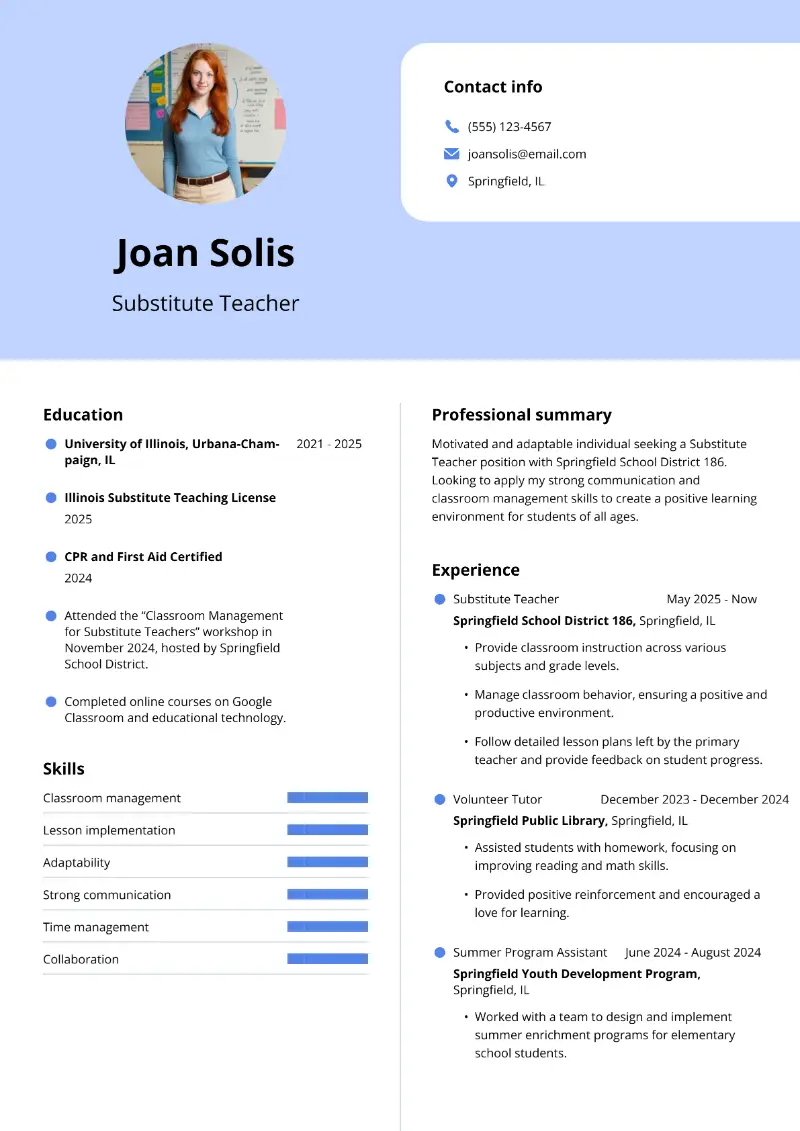
Here are some examples of effective resume:
Samantha Rivera
Los Angeles, CA | samantha.rivera@email.com | (213) 555-0192 | linkedin.com/in/samanthariveraSummary
Detail-oriented marketing coordinator with experience across digital media, event promotion, and brand communications. Known for delivering consistent growth through data-driven content strategies, targeted outreach, and effective campaign execution.
Skills
- Campaign planning & project coordination
- Email marketing (Mailchimp, Klaviyo)
- SEO optimization & keyword strategy
- Google Analytics, Meta Ads Manager
- Adobe Creative Suite, Canva, Figma
- Content scheduling (Buffer, Later)
- Asana, Trello, Monday.com
Experience
Glow Digital Media – Marketing Coordinator
Los Angeles, CA | July 2021 – Present
- Spearheaded multi-channel content strategies that boosted Instagram and LinkedIn engagement by 48% YoY.
- Managed the editorial calendar and coordinated blog production, ensuring weekly SEO-aligned posts.
- Built and segmented email lists, resulting in a 22% increase in click-through rates and stronger lead nurturing.
- Led campaign retrospectives and applied insights to reduce ad spend by 15% while maintaining visibility.
- Partnered with design and product teams to align brand messaging across new product launches.
Muse Events Group – Marketing Assistant
Pasadena, CA | March 2020 – June 2021
- Supported end-to-end planning for conferences and pop-up activations, improving attendee retention by 35%.
- Produced social content that expanded Instagram reach by 60%, using analytics to refine weekly themes.
- Coordinated vendor communications, from print shops to caterers, ensuring timely and consistent branding.
- Designed pitch decks, invitations, and event signage using Canva and Adobe Illustrator.
Campus Life Media – Social Media Intern
Northridge, CA | August 2018 – December 2019
- Created student-facing Instagram stories and reels that doubled follower count over 6 months.
- Scheduled weekly posts, monitored engagement, and provided monthly performance summaries to the team.
- Wrote articles for the university blog, contributing to a 25% increase in average post views.
- Assisted with photo editing and on-campus video production to capture student life highlights.
Education
Bachelor of Arts in Communication
California State University, Northridge, CACertifications
- HubSpot Email Marketing Certification – 2025
- Google Analytics for Beginners – 2024
- Meta Social Media Marketing Certification – 2023
Additional Information
- Fluent in Spanish
- Volunteer Social Media Manager for Women in Digital LA (2023–Present)
- Portfolio available at samantharivera.com
Conclusion
Free resume builders provide an accessible way for anyone to create a polished, well-organized document without spending a dime.
By choosing the right option that fits your needs and taking advantage of its customization options, you can confidently submit applications that stand out to employers.
Start experimenting with these tools today to streamline your job search and open doors to new career opportunities.
Create your professional Resume in 10 minutes for FREE
Build My Resume